Roblox K2 Climbing Simulator Guide (Wayout GUI)
K2 Climbing Simulator does something most Roblox games don’t — it actually makes you feel the mountain. The cold bites, the oxygen thins out as you climb higher, and one wrong step on a vertical ice wall sends you tumbling back down to base camp. For players who love a survival challenge, that tension is exactly what makes the game compelling. But there’s a fine line between a satisfying challenge and a punishing grind, and K2 crosses it regularly. Oxygen management becomes a constant juggling act in the upper sections, stamina runs out at the worst possible moments, and the physics engine has a habit of sending your character flying from ledges that should have been perfectly safe to stand on.
The leaderboard reflects this brutality. Reaching the summit consistently and claiming the top milestones requires either exceptional skill, enormous patience, or a smarter approach to managing the game’s survival mechanics. Most players plateau somewhere in the mid-mountain section where the combination of thin air, stamina depletion, and unpredictable physics starts compounding into repeated resets. Wayout GUI was built specifically to handle those mechanics and let you focus on the climb itself. This guide covers every feature in the dashboard and walks you through setup completely.
Why K2 Climbing Simulator Is Genuinely Tough
The lower sections of K2 are manageable. Resources are plentiful, the terrain is forgiving enough to recover from small mistakes, and your first few successful climbs build confidence quickly. The real difficulty begins in the upper mountain zones where oxygen depletes faster, stamina recovery slows, and the environmental hazards become significantly more punishing. A single physics glitch near the summit — the kind that launches your character sideways off a ledge for no apparent reason — can undo thirty minutes of careful climbing in an instant.
Competitive players trying to hold leaderboard positions face an additional layer of pressure. Summit times matter, and every oxygen penalty, every stamina wall, and every unexpected fall represents lost time that other players are using to extend their lead. The players dominating the K2 leaderboard have found ways to neutralise these variables. Wayout GUI addresses every single one of them.
Wayout GUI Feature Breakdown
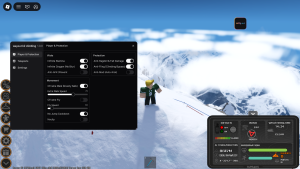
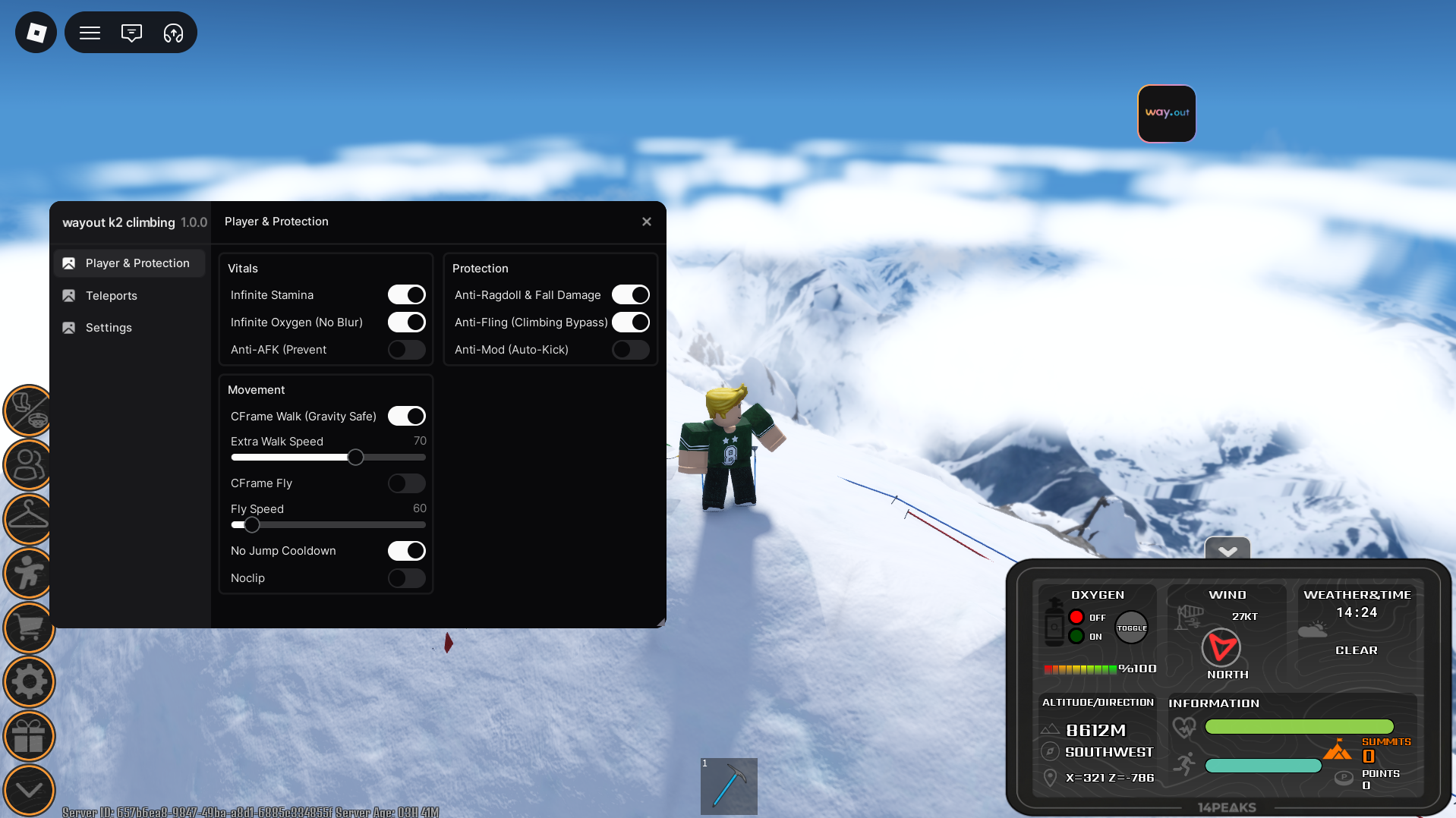
Summit Coordinate Navigation — Rather than climbing the full mountain route manually and risking a fall at any point along the way, this feature handles your character’s positioning data and shifts you directly to the summit coordinates. Leaderboard milestones and peak rewards are claimed instantly without the risk of a fatal fall resetting your progress mid-climb.
Continuous Oxygen Optimisation — The low oxygen mechanic in the upper sections of K2 is responsible for more failed runs than any other single factor. The screen blur kicks in fast, your character’s performance degrades, and if you don’t manage your oxygen perfectly the penalty resets your position entirely. This feature locks your background environment values at maximum, removing the oxygen depletion mechanic completely and letting you climb the upper mountain without any survival penalty interrupting your run.
Infinite Stamina Engine — Vertical ice walls require precise stamina management under normal conditions, and running dry at a critical point during a climb is one of the most frustrating experiences in the game. This feature locks your energy bar at full capacity, enabling continuous movement and scaling without any stamina limitations regardless of how long or demanding the section is.
Physics Modification and Custom Velocity — This is one of the most practically useful features in the dashboard. It gives you direct control over your character’s movement physics, letting you adjust base walking speed to navigate past environmental hazards safely or enable flight mechanics to cross large mountain gaps that would otherwise require perfect platforming. For players who’ve lost runs to physics glitches specifically, this feature is the fix.
Anti-Ragdoll and Stability Protection — K2’s physics engine occasionally decides to fling your character from stable ground for no clear reason. This feature prevents ragdoll triggers, fall impact penalties, and unexpected physics interactions from interrupting your climb. From base camp to the summit your movement stays stable and predictable regardless of what the game’s physics engine decides to do.
Setting Up Wayout GUI: Step-by-Step
- Copy the configuration — Head to the repository link at the bottom of this guide and copy the full Wayout GUI configuration string to your clipboard. Make sure the entire string is captured before moving on.
- Open your dashboard application — Launch your Wayout GUI compatible dashboard software and verify you’re running the latest available version. K2 receives regular updates and older builds can lose compatibility after patches.
- Load into K2 Climbing Simulator — Open Roblox and join an active K2 Climbing Simulator server. Let your character and the mountain environment load fully before proceeding.
- Apply and activate — With the game running, paste the configuration string into your dashboard input field and press apply. The Wayout GUI overlay will initialise on screen with each feature available to toggle individually.
Getting the Most From Wayout GUI: Strategy Tips
For leaderboard runs specifically, enable the Anti-Ragdoll protection and Oxygen Optimisation before starting your climb. These two features eliminate the most common causes of failed runs and give you a stable foundation before adding anything else.
If you’re targeting a personal best summit time, combine the Stamina Engine with the Physics Velocity modifier to move through sections that typically bottleneck manual players. The combination of unlimited stamina and adjustable movement speed makes the mid-mountain section — where most players lose the most time — significantly faster to navigate.
For casual players who just want to reach the summit without the survival stress, the Coordinate Navigation feature is the most direct route. Jump straight to the peak, claim your rewards, and explore the summit area without the grind of managing oxygen and stamina across the full climb.
[K2 Climbing Simulator] Open-Source Repository Access
The Script is publicly hosted for full transparency: Get Script
Troubleshooting: Fixes for Common Issues
Features not activating after setup — K2 Climbing Simulator receives regular engine updates that can temporarily interrupt dashboard functionality. Update your dashboard application to the latest available patch and reapply the configuration. Most compatibility fixes arrive within 48 hours of significant game updates.
Stamina Engine not holding at full capacity — If the stamina lock drops during a climb, toggle the feature off and back on to reset the value lock. This resolves the issue in most cases without needing to restart the session.
Physics modifier behaving unexpectedly after a game update — K2 occasionally patches its movement physics, which can affect how the velocity modifier interacts with the environment. A dashboard update usually addresses this — check for the latest patch and reapply before your next session.
Credits: Full layout optimisation, maintenance, and framework creation credits belong entirely to the original community developer, raphaelmaboi.
Quick Tip: The section just below the summit is where the most runs fall apart in K2 — oxygen is at its lowest, stamina is nearly gone, and the physics hazards are at their worst. Enable the Oxygen Optimisation and Anti-Ragdoll features specifically before hitting that final stretch, even if you’ve been climbing manually up to that point. Those two features alone turn the hardest part of the mountain into a straightforward finish.

JJK is the creator and the founder of Bloxhacks with years of experience under him he dedicated to reviewing, debugging and also sharing the best game utilities, with step by installation guides online.






