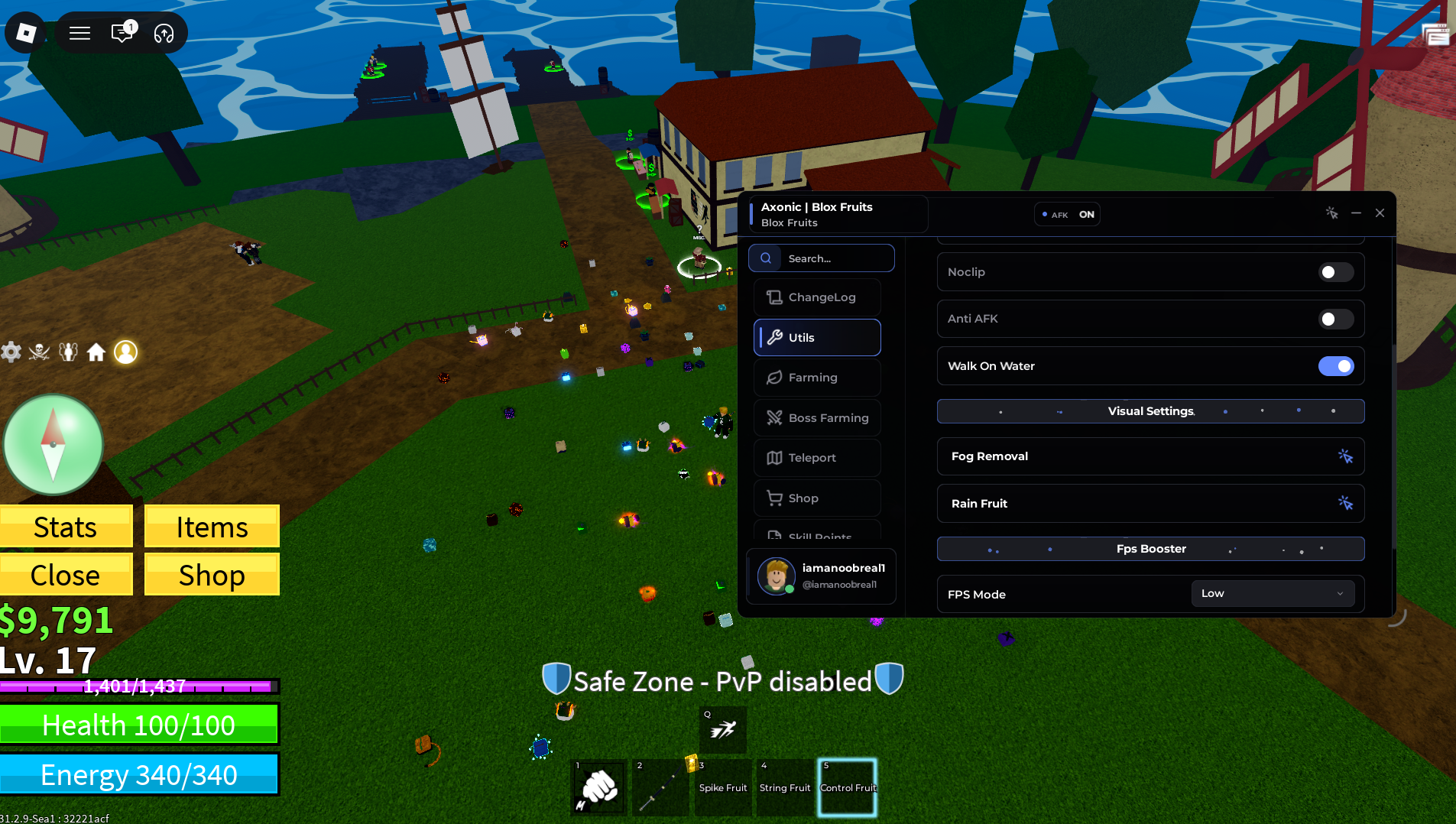
Roblox Blox Fruits Guide (Axonic GUI)
Blox Fruits has earned its place as one of Roblox’s most enduring heavy-hitters, and if you’ve spent serious time in it you’ll understand exactly why the grind has such a reputation. The world is enormous, the combat system rewards mastery, and the fruit collection mechanic gives every session a lottery-like excitement that keeps you coming back. But underneath all of that is one of the most demanding progression systems on the platform. Maxing out your character across multiple seas requires thousands of quest completions, fruit spawns are rare and disappear fast, and the merchant system sends you trekking across the map every time you need an upgrade. In competitive PvP servers the gap between a freshly levelled character and a fully optimised one is stark enough to make manual grinding feel almost pointless.
The players sitting at the top of Blox Fruits progression aren’t grinding harder — they’re grinding smarter. Every hour of efficient automation in this game is worth several hours of manual play, particularly when it comes to fruit tracking and quest completion. Axonic was built around that principle. This guide covers every feature in the dashboard, explains the practical value behind each one, and walks you through setup from scratch.
Why Blox Fruits Is One of Roblox’s Toughest Grinds
The first sea in Blox Fruits eases you in gently enough. Quests are short, enemies go down quickly, and your first few fruit encounters feel exciting. The difficulty shift happens when you push into the second and third seas, where quest loops become significantly longer, enemy health pools scale up dramatically, and the fruit spawns you’re hunting become rarer and more contested. A fruit can spawn and despawn in under a minute in a busy server, and if you’re not in the right part of the map at exactly the right moment you’ll miss it entirely.
Merchant dependency adds another layer of friction. Fighting styles, weapon upgrades, and key combat purchases all require you to physically travel to specific vendor locations scattered across a massive map. In a game where time efficiency determines how fast you progress, those travel windows represent a meaningful chunk of lost grinding time every session. Axonic addresses every one of these pain points directly.
Axonic Feature Breakdown
Automated Progression Engine — Quest grinding in Blox Fruits is the backbone of character levelling, but doing it manually means repeating the same loops hundreds of times. This feature handles the entire cycle automatically — navigating to objectives, engaging targets, and turning in completed quests without any input required. Your character levels climb steadily in the background while you focus on other things or step away entirely.
Combat Proximity Optimisation Module — Landing consistent hits during mob farming or PvP encounters depends heavily on positioning and timing, both of which are difficult to maintain manually over long sessions. This module optimises your client-side combat data in real time, executing automated attack sequences against nearby hostile targets with precise timing. Your damage output stays consistent and your farming efficiency improves noticeably, particularly during extended grinding sessions where manual focus tends to drop.
Asset Location Tracker — Fruit hunting is one of the most exciting parts of Blox Fruits but also one of the most frustrating. This module monitors fruit spawn registries across the active server map in real time, identifying new spawns the instant they appear and flagging or collecting them immediately. The days of manually patrolling the map hoping to stumble across a rare fruit are over — the tracker does the work continuously so you never miss a spawn.
Remote Merchant Interface — Rather than interrupting your grinding session to travel across the map every time you need a purchase, this feature lets you interact with vendor menus from wherever you are on the map. Fighting styles, weapon upgrades, and combat purchases are handled remotely without breaking your progression flow.
Setting Up Axonic: Step-by-Step
- Grab the configuration — Use the repository link at the bottom of this guide to access the Axonic configuration file. Copy the full string to your clipboard and double check nothing is cut off.
- Launch your dashboard software — Open your Axonic compatible dashboard application and verify you’re on the latest available version. Blox Fruits updates frequently and older dashboard builds can lose compatibility quickly after major patches.
- Load into Blox Fruits — Open Roblox and join an active Blox Fruits server. Let your character and the world environment load fully before proceeding to the next step.
- Apply the configuration — With the game running, paste your configuration string into the dashboard input field and press apply. The Axonic overlay will initialise on screen with each feature individually toggleable.
Maximising Your Sessions: Pro Strategies
Server choice matters enormously in Blox Fruits. For pure levelling, low-population servers let the Automated Progression Engine run cleaner with less interference from other players competing for the same quest targets. For fruit hunting specifically, medium-population servers tend to have more active fruit spawns than empty ones, making the Asset Tracker more productive.
Enable the Progression Engine and Combat Module together from the start of each session — the two features work best in combination, keeping your character moving between objectives while maintaining consistent damage output throughout. The Remote Merchant Interface is most valuable during Sea 2 and Sea 3 where vendor locations are spread further apart and travel time cuts more significantly into your grinding efficiency.
For players pushing toward max level, running the full dashboard overnight on a stable low-traffic server is the most efficient approach. The progression engine keeps quest loops going continuously, and waking up to a significantly higher level character makes the following session’s goals much more achievable.
[Blox Fruits] Open-Source Repository Access
The script file is publicly hosted
Troubleshooting: Fixing Common Issues
Features not loading after setup — Blox Fruits is one of the most actively updated games on Roblox, with frequent sea rebalances, new content drops, and engine patches. Any significant update can temporarily break dashboard compatibility. Update your dashboard application to the latest patch and reapply the configuration. Most compatibility fixes arrive within 48 hours of major game updates.
Progression Engine stopping mid-quest — If the automation stalls between objectives, toggle the feature off, wait a few seconds, and re-enable it. This resets the navigation logic and typically resolves the issue without needing a full restart.
Fruit tracker missing spawns — If the Asset Tracker stops flagging new fruit spawns, a server change usually resolves it. Join a fresh server and reapply — the tracker occasionally loses sync with the spawn registry in older server instances that have been running for a long time.
Credits: Full development, optimisation, and ongoing maintenance credits belong entirely to the original engineering team behind the Axonic framework.
Quick Tip: Pushing into a new sea for the first time is always the hardest part of Blox Fruits progression. Before crossing over, run the Automated Progression Engine for a full session in your current sea to build a currency and level buffer. Arriving at a new sea over levelled and well-funded makes the initial adjustment significantly smoother and stops you from getting farmed repeatedly while you find your footing. this dashboard will help you track mythical loot much easier enjoy gamers.

JJK is the creator and the founder of Bloxhacks with years of experience under him he dedicated to reviewing, debugging and also sharing the best game utilities, with step by installation guides online.






