Roblox Attack on Titan Revolution Guide (Tekkit Hub)
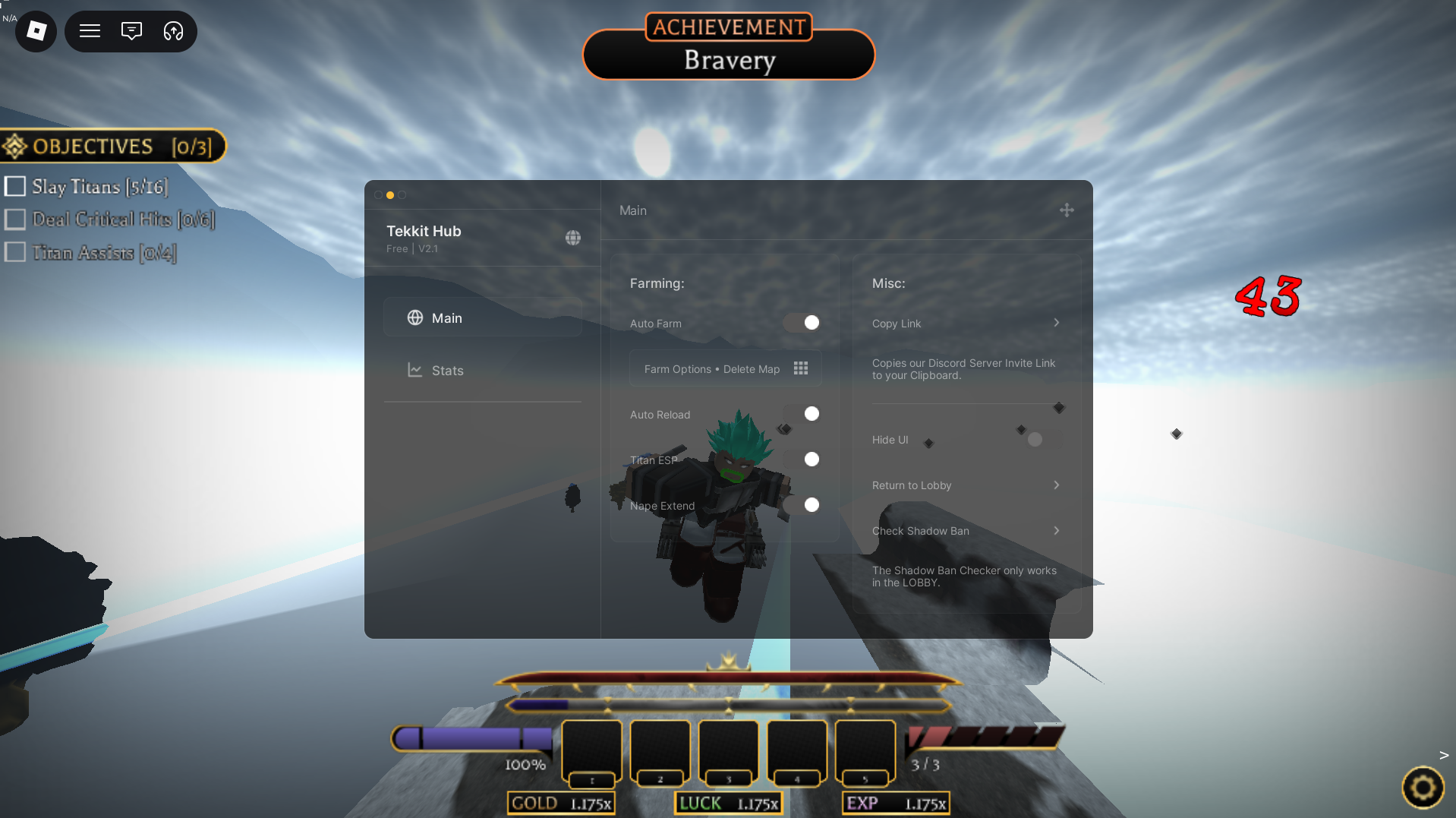
Welcome to the definitive structural resource guide for Attack on Titan Revolution, one of the most mechanically advanced and visually spectacular anime action RPGs on the platform. In this high-stakes combat simulator, players must master Omni-Directional Mobility (ODM) gear, slice through titan napes, and defend humanity’s walls from devastating hordes. Reaching maximum prestige, farming mythic perks, and unlocking rare serums requires incredibly precise combat timing and hours of repetitive mission grinding. To help you manage your combat efficiency and progression, we are breaking down the advanced features of the premium Tekkit Hub panel.
Below, you will find an extensive breakdown of the custom mechanics built into this framework, detailed execution steps, and safe access instructions.
⚡ Key Features & Mechanics Explained
The Tekkit Hub utility functions as a comprehensive combat optimization and character progression interface, streamlining your farming loops so you can manage your gameplay with maximum background productivity:
- Automated Combat Engagement Engine: Manually grappling around massive maps to hunt down targets can be time-intensive. This core engine automates your ODM movement, locks onto the critical weak points of nearby hostile entities, and executes combat rotations to clear waves smoothly.
- Resource and Durability Management Module: Running out of blade sharpness or propulsion gas in the middle of a high-level raid can lead to immediate mission failure. This utility monitors your gear durability and gas thresholds in real-time, instantly triggering a replenishment sequence to keep your mobility at peak performance.
- Character Progression Optimizer: To survive high-tier missions, constantly updating your base attributes, perks, and skill lines is mandatory. This feature streamlines your upgrade process, automatically allocating your earned resources into your chosen build path without needing to manually navigate complex UI menus.
🛠️ Step-by-Step Installation & Performance Activation
Follow these deployment instructions to safely load this custom layout dashboard directly into your currently running game client:
- Retrieve Layout Configuration: Use the verified data repository link below to copy the complete Tekkit Hub dashboard layout text directly to your clipboard.
- Initialize Your Utility Console: Open your secure, updated in-game developer console or modding engine framework.
- Boot the Environment: Launch your Roblox client application and load into an active instance of Attack on Titan Revolution.
- Deploy and Run: Paste the copied configuration block directly into the text field of your active optimization window, click apply, and the custom Tekkit Hub user interface overlay will instantly initialize on your screen.
💾 [Attack on Titan Revolution] Open-Source Repository Data
To ensure structural visibility and profile safety, the raw layout configuration for this dashboard is hosted on a secure external text archive. Click the link below to review the official deployment source code:
⚖️ Technical Troubleshooting & Version Support
Interface Inactivity? Because Attack on Titan Revolution routinely receives major balance adjustments, new raid updates, and core anti-cheat overhauls, advanced combat interface menus can occasionally experience temporary runtime breaks. If a specific feature fails to initialize, ensure your preferred third-party modding engine application is fully updated to match the current Roblox live patch to avoid system formatting conflicts.
Credits: Full development and optimization credits for this outstanding anime combat utility engine go directly to the original talented development team behind the Tekkit Hub framework.
Quick tip: Want to kill titans in this game with this dashboard you can be aided in that process enjoy gamers.

JJK is the creator and the founder of Bloxhacks with years of experience under him he dedicated to reviewing, debugging and also sharing the best game utilities, with step by installation guides online.