Roblox Paper Planes Guide (LuckyWinner GUI)
Welcome to the definitive structural resource guide for Roblox Paper Planes, the highly addictive, physics-based flight simulation and economic progression experience taking the platform by storm. In this fast-paced game, players fold custom aircraft, aim for maximum distance, and fly through aerial obstacles to rack up massive currency multipliers. Relying purely on manual clicks and repetitive throws cPaper Planes is one of those Roblox games that looks simple on the surface but reveals a surprisingly deep progression system the longer you play. The core concept is instantly appealing — fold a plane, launch it, fly through rings, collect multipliers, earn currency, upgrade your stats. The first few sessions feel great. Your throws get longer, your planes get faster, and the currency rolls in at a satisfying pace. Then you start looking at the global leaderboard and realise just how far ahead the top players are, and the gap between where you are and where you want to be becomes very clear very quickly.
The problem is that Paper Planes is built around volume. The players dominating the leaderboards aren’t necessarily better at aiming — they’ve just completed more throws, collected more rings, and kept their economy ticking over for longer than everyone else. Manual play has a natural ceiling because every throw requires your attention and every landing requires a click to relaunch. Miss a ring cluster, forget to relaunch immediately, or step away from the screen for a few minutes and your currency generation stalls completely. LuckyWinner was built to remove every one of those ceilings.
The Real Challenge in Paper Planes
Getting off the ground in Paper Planes is easy. The early upgrade tiers are affordable, the ring spawns are generous, and your first few plane unlocks happen quickly enough to keep you engaged. The grind sets in when you start targeting elite plane models. The stat requirements jump significantly at the higher tiers, and the difference in distance and multiplier between a mid-tier and top-tier plane is enormous — which means the players already running elite models are earning currency at a rate that’s genuinely hard to compete with manually.
Ring collection adds another layer of complexity. The floating reward rings are scattered across the sky map in patterns that require precise steering to hit consistently, and missing a cluster mid-flight means losing a significant chunk of your potential payout for that throw. Over hundreds of throws, those missed rings add up to a substantial deficit. The players who climb the leaderboard fastest are the ones who hit rings consistently across long sessions — exactly what LuckyWinner automates.
LuckyWinner Feature Breakdown
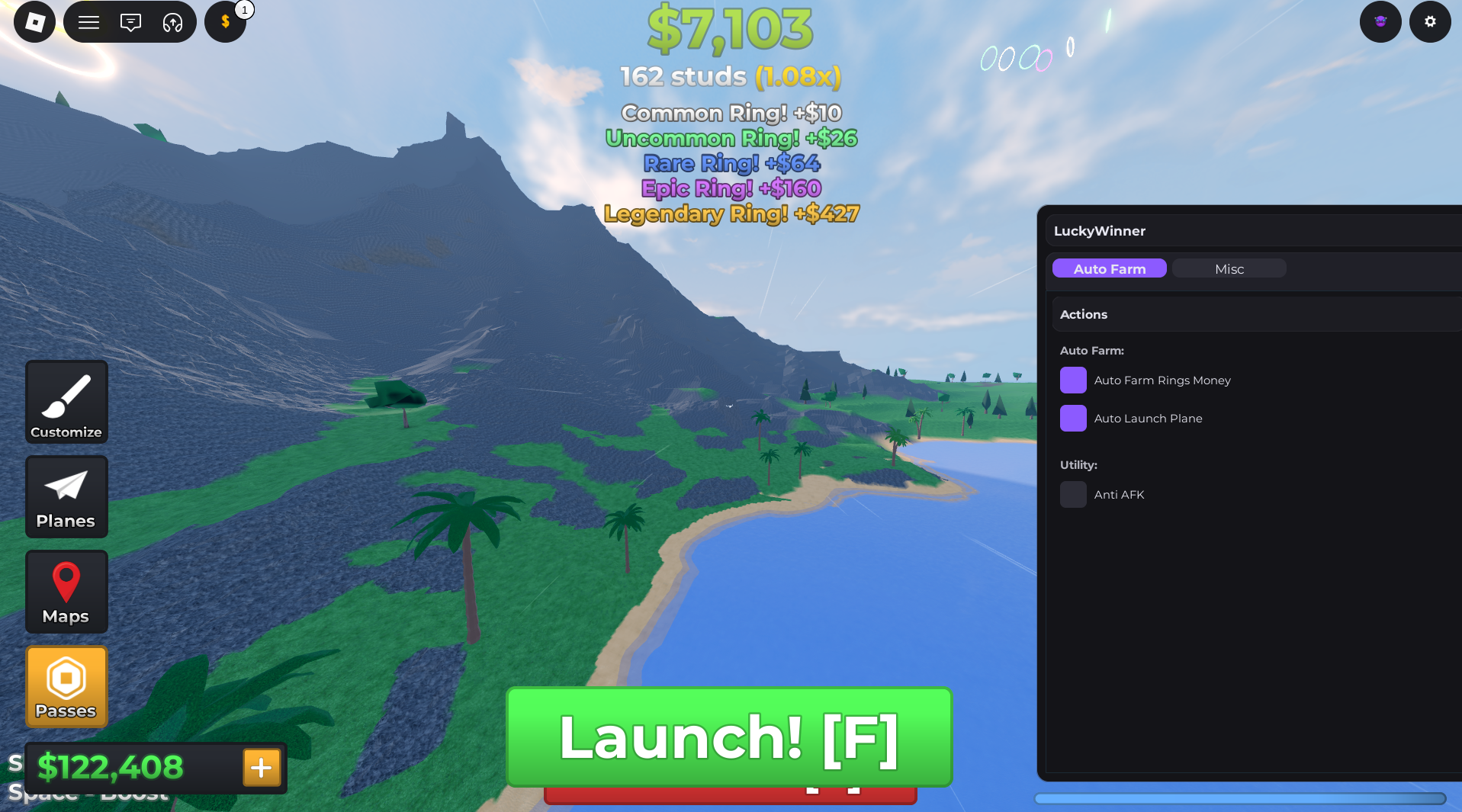
Automated Revenue Accumulation Module — This feature maps every floating reward ring across the sky in real time and optimises your flight path through them automatically. Rather than manually steering toward ring clusters and hoping your aim is accurate enough, the module handles pathing entirely and registers every payout to your balance without requiring any input. Your currency generation per throw increases dramatically because you’re hitting rings you’d routinely miss during manual play.
Auto Launch Engine — The biggest drain on manual Paper Planes sessions is the moment between landing and relaunch. Every second your plane sits on the ground is a second you’re not earning. This engine eliminates that gap entirely by detecting the exact moment your plane touches down and relaunching it instantly. The result is a continuous, uninterrupted throwing cycle that maximises your currency generation rate across the full session.
Integrated Client-Side Activity Simulator — This is a practical feature that often gets overlooked but matters enormously for longer sessions. Roblox will disconnect idle players from servers after a period of inactivity, which would interrupt your automation mid-session and reset your progress. The activity simulator prevents this by keeping your connection flagged as active, allowing the full LuckyWinner profile to run in the background for extended periods without dropping you from the server.
Setting Up LuckyWinner: Step-by-Step
Getting the dashboard running is straightforward. Follow these steps in order:
- Copy the configuration — Head to the repository link at the bottom of this guide and copy the complete LuckyWinner configuration string to your clipboard. Take a moment to make sure the full string is copied with nothing truncated.
- Open your dashboard application — Launch your LuckyWinner compatible dashboard software and confirm you’re running the latest available version before proceeding. An outdated version is the most common reason features fail to load correctly.
- Join a Paper Planes server — Open Roblox and load into an active Paper Planes session. Let the environment load fully, including your plane inventory and current stats, before moving to the next step.
- Apply and activate — With the game running, paste the configuration string into your dashboard input field and hit apply. The LuckyWinner overlay will initialise on your screen with each feature available to toggle individually.
Getting the Most From LuckyWinner: Strategy Tips
For maximum leaderboard gains, enable the Auto Launch Engine and Revenue Accumulation Module together from the start. The two features compound each other — more throws per minute combined with consistent ring collection produces significantly better results than either feature running alone.
Server selection matters more in Paper Planes than most Roblox games. Low-population servers mean less competition for ring spawns and smoother overall performance from the automation. If you’re running an extended session, join a quieter server before activating the dashboard rather than dropping into a full one.
For players specifically targeting elite plane unlocks, run the full dashboard overnight using a low-traffic server. The Activity Simulator keeps your connection stable, the Auto Launch Engine keeps throws going continuously, and by morning your currency balance will be at a level that makes the higher upgrade tiers genuinely accessible.
[Paper Planes] Open-Source Repository Access
The Script File is publicly hosted
Troubleshooting: Common Issues and Solutions
Features not initialising after setup — Paper Planes receives regular physics updates, stat rebalances, and map patches. Major updates can temporarily interrupt dashboard features. Update your dashboard application to the latest patch and reapply the configuration. Compatibility updates usually follow within 48 hours of significant game changes.
Auto Launch not triggering on landing — If the relaunch cycle stalls, toggle the Auto Launch Engine off and back on to reset the landing detection. This resolves the issue in most cases without requiring a full restart.
Ring pathing feels less accurate after a map update — When Paper Planes updates its sky map layout, ring coordinates shift. If the Revenue Accumulation Module seems to be missing rings it previously hit consistently, a dashboard update is likely available that includes the new coordinate data. Check for the latest patch and reapply.
Credits: Full development, testing, and optimisation credits belong entirely to the original community developer, LuckyWinner.
Quick Tip: The wind tunnels on the left side of most Paper Planes maps naturally boost your distance multiplier. The Auto Launch Engine accounts for these in its throw trajectory, so if you notice your currency spiking on certain throws, that’s the tunnel boost combining with the ring pathing — it’s working exactly as intended.

JJK is the creator and the founder of Bloxhacks with years of experience under him he dedicated to reviewing, debugging and also sharing the best game utilities, with step by installation guides online.






